

More people are choosing to sell Steam gift cards for Naira or swap Steam e-codes for cash. However, a rising number of users face one frustrating problem: Steam gift card redemption errors.
Whether it’s due to invalid codes, region mismatch, or system issues, these errors can block your ability to trade your card smoothly.
That’s where Giftcard8 comes in. Our platform not only allows you to exchange Steam gift cards for cash, but we also help you troubleshoot redemption errors to ensure you don’t lose money or time.
Understanding Steam Gift Card Redemption Errors
When you attempt to redeem a Steam wallet card or Steam e-code on your account and receive an error, it usually points to one of a few common issues. These can include activation delays, regional restrictions, or worse, a used or invalid card.
Unfortunately, these problems are more frequent in markets like Nigeria and Ghana, where many users receive international Steam gift cards from abroad or third-party vendors.
To help you trade confidently on Giftcard8, let’s break down the major causes of redemption failure.
1. Region Mismatch
Steam gift cards are region-specific. A US-based Steam gift card might not work if your Steam account is set to Nigeria. Trying to redeem it will prompt an error like: “This code cannot be redeemed in your region.”
This is one of the most common issues for Nigerians trying to convert Steam cards to cash.
2. Code Already Redeemed
If someone else has already used the code, either by accident or fraud, Steam will respond with:
“This Steam Wallet code has already been redeemed.”
It usually means the card was compromised before you received it.
3. Invalid Code Format
Steam codes must be entered exactly as shown. One wrong digit can trigger an error like: “The code you entered is not valid.”
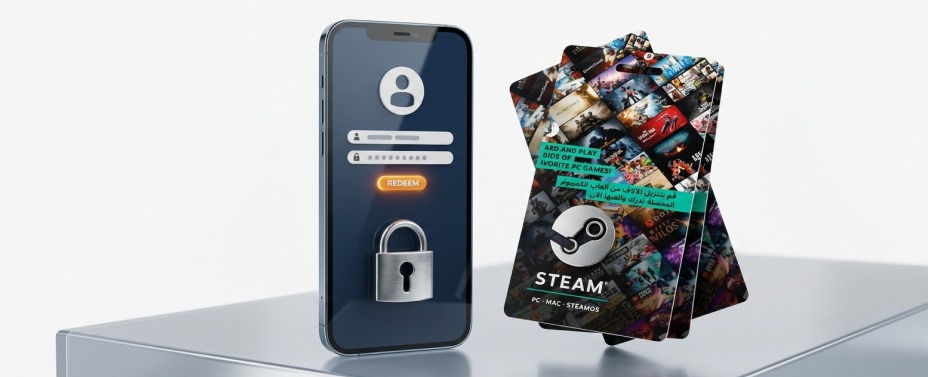
This happens often when entering codes manually from gift card pictures.
When you upload a gift card with an error to Giftcard8, the card may be temporarily flagged until the issue is resolved. We ensure each card is authentic, loaded, and redeemable before processing payment. That’s why understanding how to fix Steam gift card redemption errors is essential for a smooth exchange.
If your code doesn’t work, don’t panic. You can follow these steps to solve the problem.
1. Verify Card Activation
Before anything else, confirm that the Steam gift card was activated at the point of purchase. Cards from foreign stores (like Walmart or Best Buy) need to be scanned before they’re active. If you received the card from a friend abroad, ask them to confirm this.

2. Contact Steam Support
Steam has a dedicated help portal for wallet code issues. Visit help.steampowered.com and select “Steam Wallet Code” to submit your complaint. Provide your card’s code and any error messages you received.
Steam may confirm if the card was already used or never activated. If you’re using a Nigerian Steam account, avoid redeeming region-locked gift cards (e.g., US-only). Instead, use Giftcard8 to convert those cards into Naira or USDT instead of struggling with Steam’s restrictions.
Steam Gift Card Physical vs E-Code: Which Has More Errors?
From user reports on Giftcard8, Steam physical cards tend to have more activation-related issues, while Steam e-codes (sent via email) are more likely to work instantly.
However, physical cards offer a paper trail, and you can upload clear images, which help our team verify the code’s legitimacy. In contrast, e-codes require you to ensure the source is 100% trusted.
Regardless of format, every card submitted to Giftcard8 is reviewed manually and automatically to ensure that errors are detected early. Many Nigerian platforms accept Steam codes, but very few offer live error-checking support like Giftcard8. Our system helps identify redemption issues before your card is processed for payout.
Once your card is verified as valid, we help you: Sell unused $100 Steam cards online, convert Steam cards to Cedis instantly, and transfer Steam gift card value to your bank account or USDT wallet
That’s why we’re ranked among the highest paying Steam gift card platforms in Nigeria. We know the frustration of trying to sell Steam gift cards for Naira in Nigeria, only to face redemption problems. That’s why we built our process to assist you step by step.
Frequently Asked Questions on Steam Gift Card Errors

Can I fix a redeemed Steam code?
No. Once redeemed, the card cannot be reused. If you didn’t redeem it yourself, it may have been used by someone else before you received it.
What if my Steam gift card was purchased abroad?
That’s fine. Just make sure it’s activated and the code is not region-locked. If it is, Giftcard8 can help you convert it to Naira instead.
Why won’t Steam accept my card even though it’s new?
It might not have been activated, or your account’s region may not match the card’s source. Check both factors before retrying.
We’ve built a reputation for being the most reliable Steam gift card trading platform in Africa, with thousands of successful transactions across Lagos, Accra, Port Harcourt, and Kumasi.
Don’t let a redemption error discourage you. Even if you face activation problems, region mismatches, or invalid codes, you can still resolve the issue and trade securely on Giftcard8.
If you’ve ever wondered how to fix Steam gift card redemption errors, this guide should be your go-to resource. Once your card is ready, Giftcard8 will help you convert its value into cash, Cedis, or USDT, without stress, without delay.
Trade smarter. Fix the error. Sell fast only with Giftcard8.


You must be logged in to post a comment.